11. Individual Phase
11.1. project
The primary goal of this project is to develop a user-friendly and efficient tsunami simulation tool using Unity, integrating the capabilities of an existing C++ project. The end product will feature an intuitive interface, dynamic visualization, precise timestep control, and automatic file generation in Unity.
11.2. Unity
Unity is a cross-platform game development engine that allows developers to create 2D , 3D and virtual reality (VR) applications. it can be downloaded Here:
11.3. C#
At the beginning of the Individual Phase, we learned how to use C# to implement a existing C++ code to our project. Then, we checked C# in Unity because Unity’s version doesn’t have all the features of regular C#. C#_Tutorial:
to Install C# on windows we used the following instruction C#_installation:
Warning
We divided the tasks among our team members. Two members worked on translating the existing C++ project into C#, while another member integrated the implemented C# code into Unity and the graphical user interface (GUI).
11.4. C# unitTest
for making the project we used the following Tutorial:
11.5. user documentation for the C# code (C# not unity)
to run the project we used vs-code
vs-code :
to run the code navigate to the Program Folder
in terminal: dotnet run
- to run the unitTest: navigate to the programmtest folder
in terminal : dotnet test
Warning
The input parameters are specified in the “main.cs” file. We opted not to utilize a JSON file for input configuration, as the main class serves the sole purpose of testing.
11.6. First week and second week
11.6.1. C#_Project
After discovering the capabilities of C# and recognizing the distinctions between C# in Unity and the standard version, we started incorporating our solver and setup into C# Unity. Simultaneously, we worked on developing a user interface for our program. In the initial week, we divided the tasks among group members, with two focusing on implementing the solver , wavepropagation and setup in C#, while one member integrated it into the graphical user interface (GUI).
Our Fwave solver closely resembled the C++ code, with the only difference being the data type, which we changed to float. Additionally, for references in the function, we used the ‘out’ keyword, similar to how it’s done in C++.
example:
public void Flux(float i_hL, float i_hR, float i_huL, float i_huR, out float[] o_fdelta)
    {
    ....
    }
We also attempted to integrate our C++ solver into our C# project. This was achieved by compiling the solver class into a DLL (Dynamic Link Library) file and then importing that DLL file into our C# project. but we faild to do that
example:
extern "C" {

__declspec(dllexport)  float constexpr m_gSqrt = 3.131557121;
__declspec(dllexport)  float constexpr m_g = 9.80665;


__declspec(dllexport) void eigenvalues(float i_hL, float i_hR, float i_uL, float i_uR, float& o_waveSpeedL, float& o_waveSpeedR) {
    // Implementation for eigenvalues method
    float l_hSqrtL = std::sqrt(i_hL);
    float l_hSqrtR = std::sqrt(i_hR);

}

....

//importing  the dll File in the c# project :

[DllImport("YourDllName.dll", CallingConvention = CallingConvention.Cdecl)]
    public static extern void WaveSpeeds(float hL, float hR, float uL, float uR, out float waveSpeedL, out float waveSpeedR);
Following the implementation of the solver, we proceeded to work on implementing “wavepropagation1d” and its corresponding setup. For testing purposes, we developed a Main class to generate CSV files, enabling us to simulate and visualize the results using ParaView. we used the results to check if our wavepropagation1d works correctly
public static void Write(float i_dxy,
                            uint i_nx,
                            uint i_ny,
                            uint i_stride,
                            int i_domainstart_x,
                            int i_domainstart_y,
                            float[] i_h,
                            float[] i_hu,
                            float[] i_hv,
                            float[] i_b,
                            StreamWriter io_stream)


{
    uint l_id = 0;
    CultureInfo culture = CultureInfo.InvariantCulture;
    // Write the CSV header
    io_stream.WriteLine("x,y" +
                    (i_h != null ? ",height" : "") +
                    (i_hu != null ? ",momentum_x" : "") +
                    (i_hv != null ? ",momentum_y" : "") +
                    (i_b != null ? ",bathymetry" : ""));//+
                    // (l_id != null ? ",l_id" : ""));


    for (uint l_iy = 1; l_iy < i_ny + 1; l_iy++)
    {
        for (uint l_ix = 1; l_ix < i_nx + 1; l_ix++)
        {
            // Derive coordinates
            float l_posX = ((l_ix - 1 + 0.5f) * i_dxy) + i_domainstart_x;
            float l_posY = ((l_iy - 1 + 0.5f) * i_dxy) + i_domainstart_y;


            l_id = (l_iy * i_stride) + l_ix;


            io_stream.WriteLine($"{l_posX.ToString(culture)},{l_posY.ToString(culture)}" +
                                        (i_h != null ? $",{i_h[l_id].ToString(culture)}" : "") +
                                        (i_hu != null ? $",{i_hu[l_id].ToString(culture)}" : "") +
                                        (i_hv != null ? $",{i_hv[l_id].ToString(culture)}" : "") +
                                        (i_b != null ? $",{i_b[l_id].ToString(culture)}" : "")); //+
                                        //(l_id != null ? $",{l_id.ToString(culture)}" : ""));
        }
    }

    io_stream.Flush();


}

public static void Main(string[] args) {

    float l_hl = 10;
    float l_hr = 5;

    .....
    for (uint i = 0; i < ny; i++)
    {
        for (uint j = 0; j < nx; j++)
        {
            float l_y = i * d_xy + domainstartx;
            float l_x = j * d_xy + domainstarty;

            float l_h = setup.GetHeight(l_x, l_y);
            float l_hu = setup.GetMomentumX(l_x, l_y);

            .......

        while (l_simTime < endTime){
        if(l_timeStep % 20 == 0){
            l_path = $"C://Users//khale//OneDrive//Desktop//c_sharp//outputs//solution_{l_time_step_index}.csv";
            using (StreamWriter l_file = new StreamWriter(l_path)){
                    CultureInfo culture = CultureInfo.InvariantCulture;
                    Write(d_xy, nx, ny, wave.GetStride(), 0, 0, wave.getHeightValues(), wave.getMomentumXValues().ToArray(), wave.getMomentumYValues().ToArray(), wave.getBathymetryValues(), l_file);
            }
            ........
and to check our solver we made A Unit test for it in C#:
using myLibrary;


[TestClass]
public class TestUnits
{
    [TestMethod]
    public void decomposeTest()
    {

        FWave fWave = new FWave();

    [TestMethod]
    public void NetupdateTest()
    {

        FWave fWave = new FWave();


        float[] l_netUpdatesL = new float[2];
        float[] l_netUpdatesR =  new float[2];

        fWave.NetUpdates( 2.8f,
                        9.6f,
                        41.9f,
                        37.7f,
                        0,
                        0,
                        out l_netUpdatesL,
                        out l_netUpdatesR );

        Assert.AreEqual(0, l_netUpdatesL[0], 0.0001f );
        Assert.AreEqual( 0 ,l_netUpdatesL[1] , 0.0001f );

        Assert.AreEqual( -4.199690818786621 ,l_netUpdatesR[0],0.0001f );
        Assert.AreEqual( -65.50415802001953 ,l_netUpdatesR[1],0.0001f  );

        ....


    }
Warning
the setup implementation in c# can be found on the following githup repositry https://github.com/imissoldgaren/C_sharp_Tsunami.git
11.6.2. Unity Project
implemented Gui:
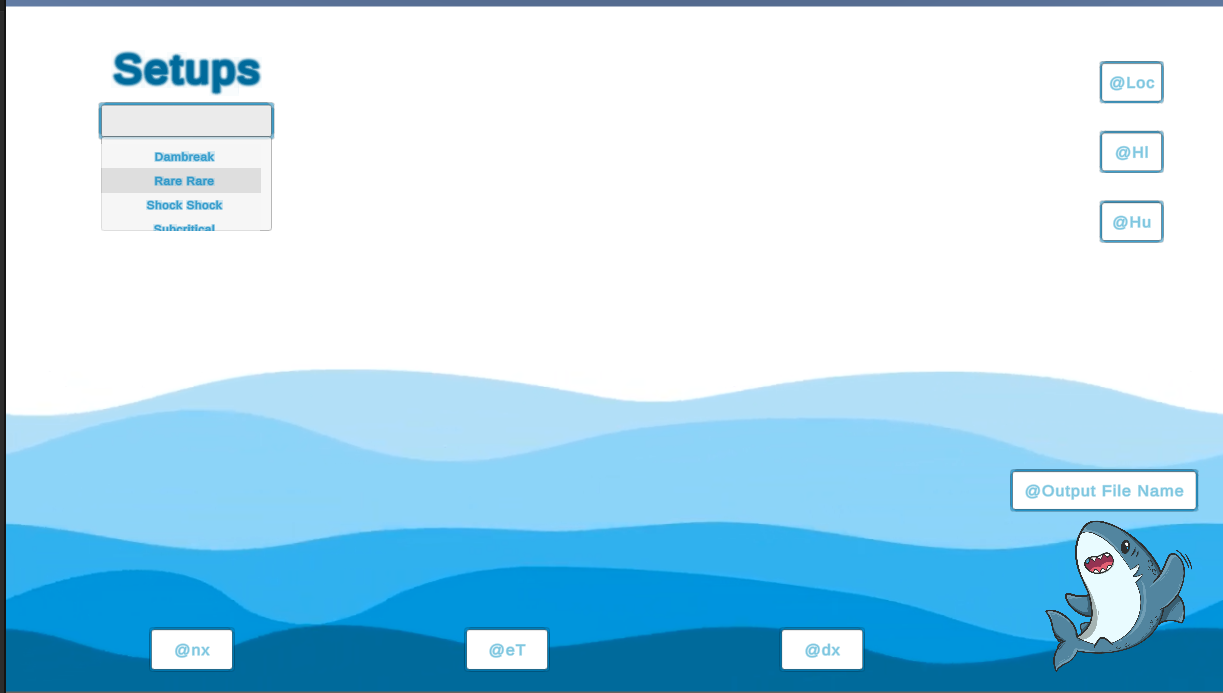
Upon integrating the solver, 1D wave propagation, and 2D wave propagation in C#, we seamlessly embedded them into our Unity project. The graphical user interface (GUI) and Unity simulation are now accessible within our program.
Currently, the simulation operates solely in real-time and has the capability to generate CSV files containing the data. However, it’s worth noting that our project is currently encountering an issue, as it does not function as expected for tsunamiEvent2D , ArtificialTsunami2d and tsunamiEvent1D.
11.6.3. Issue faced.
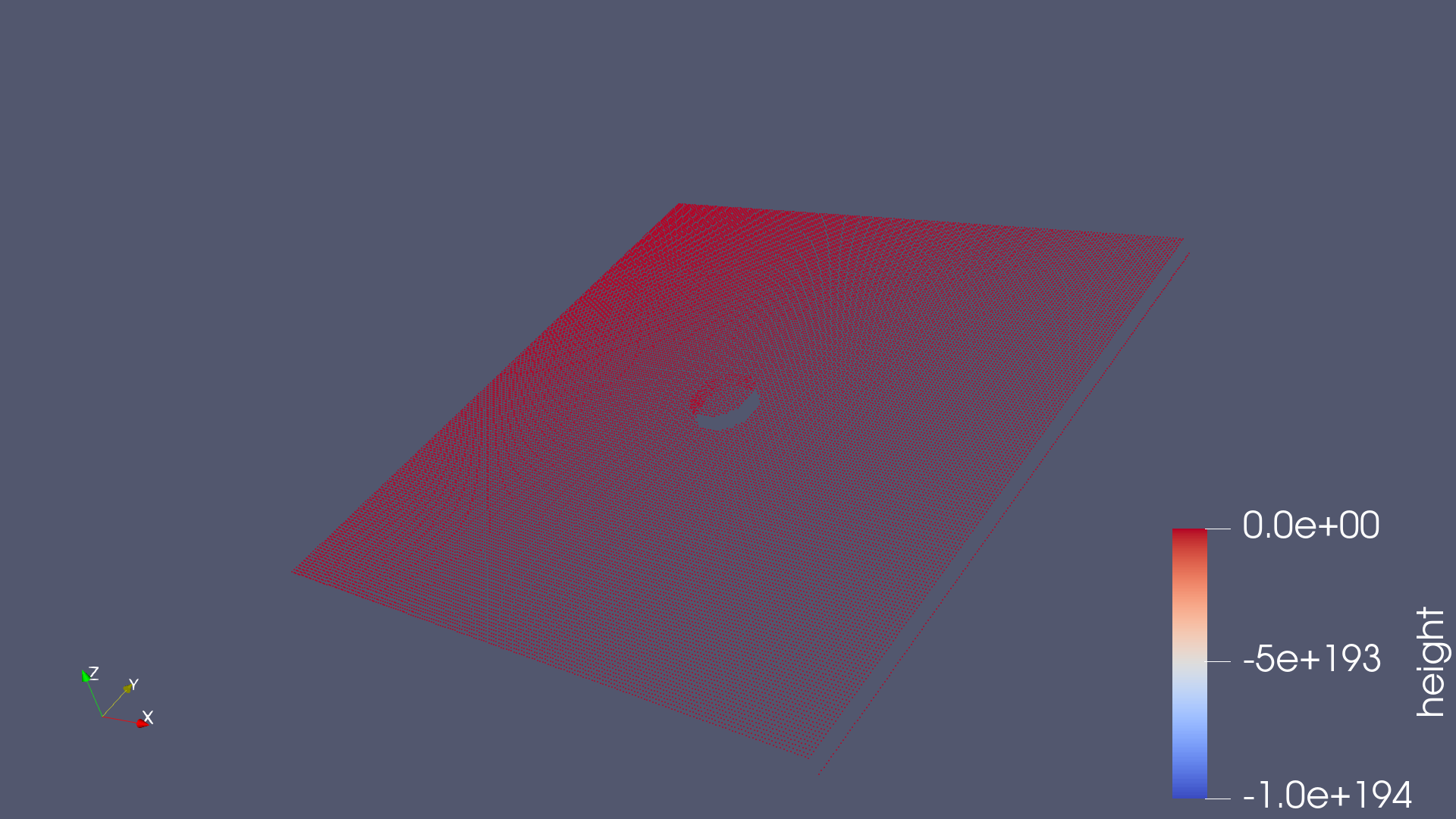
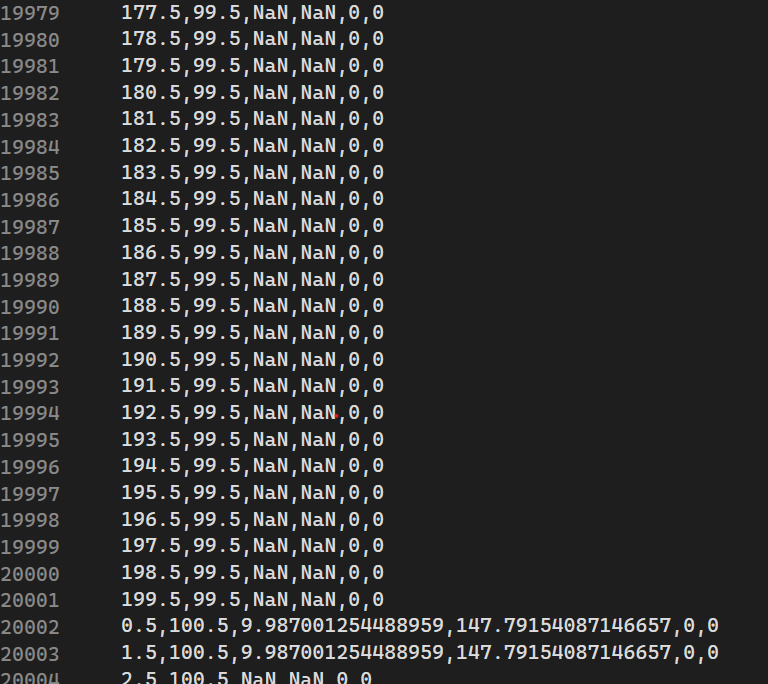
During the integration of our solver into C#, we encountered numerous data-related errors. Specifically, issues arose when updating indices in the entity update process, resulting in the generation of NaN values .Additionally, calculations related to attributes such as height were found to be incorrect.
11.7. third and fourth week
11.7.1. hdf5 : Hierarchical Data Format
HDF5 is a high performance data software library and file format to manage, process, and store your heterogeneous data. HDF5 is built for fast I/O processing and storage.
11.7.2. 3.week
During the third week, we explored alternatives to replicate NetCDF functionality in C# and Unity. We discovered that HDF5 can be used in C#, but it’s a bit more intricate than NetCDF as it’s geared towards high-performance computing. Nonetheless, it offers greater power and capabilities
Link: https://www.unidata.ucar.edu/software/netcdf/workshops/2012/overview/Alternatives.html
Unfortunately, we couldn’t finish implementing it in Unity because HDF5 turned out to be too complex, especially given the limited example we had on the internet.
Documentation : https://docs.hdfgroup.org/hdf5/develop/_h5_d__u_g.html#subsubsec_dataset_program_create
and we got stuck with some bugs while integrating the ui and wavepropagation2d to the unity project so we wokred on fixing them.
11.7.3. 4.week
After realizing our time constraints, we shifted our focus away from other tasks and concentrated solely on optimizing the code we had in Unity as efficiently as possible and fixing some bugs.
alle members contriubted equally in Individual Phase.